


—–UPDATED LINK—————–
The process of setting the theme for all users outside of group policy is still tedious in Windows 7. The method I came up with is not the cleanest, but it is supported by Microsoft and easy to implement.
Procedure:
1. Build .ThemePack file on test machine via the “Personalization” control panel applet.
* If Aero is desired, ensure test machine supports Aero.
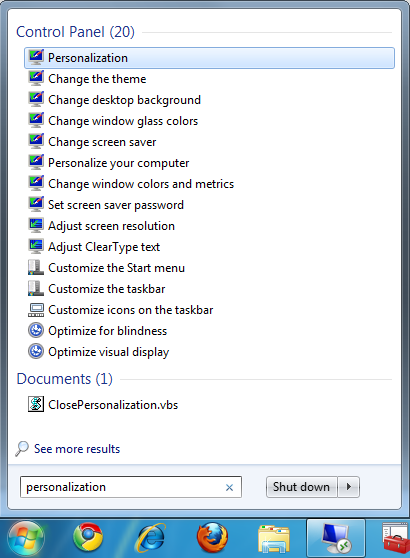
1a. Set all desired settings, Background, Background Color, Sounds, and Screen Saver settings.
1b. Right-Click on new “Unsaved Theme” listed under “My Themes” and click on “Save Theme for saving”. This will output the .themepack files.
* .Themepack files are self extracting files, which include all dependent files for theme to apply on new machines.
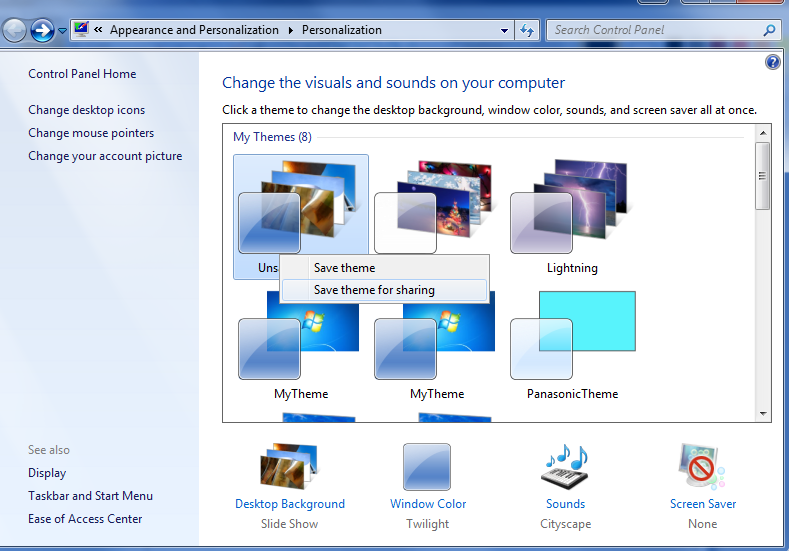
2. Rename Outputted .themepack file to “CustomTheme.themepack” and download zip archive below:
https://panaconsulting.box.com/s/7wdszgsweecn0d71jzi3
3. Extract archive and inject the new “CustomTheme.themepack” to the same directory.
4. Run “silent.bat” for visible run boxes, or “CallSilentBatch.vbs” for silent and hidden.
The script basically calls the “.themepack” file for any new user that logs into the system once and then closes the “Personalization” applet, which auto opens when .themepack files are initiated.
The link to the zip file is broken. Can you post a good link?
Sorry about that, I went ahead and updated the link.
-Brian G
Link down again! can you plz repost….setting a themepack during OSD has been a nightmare for me!!!
Are you using MDT or SCCM? The script would defer, because one is logged into a profile post-OS and the other uses the SYSTEM account.