


Because the Windows 7 CopyProfile=true option only saves a handful of configurations. We are left with the fun of trying to automate the rest. I’ve outline some basic, such as specifying a custom Themepack for All Users:
https://supportishere.com/how-to-set-theme-in-windows-7-via-script-for-all-users/
The Windows 7 Alert Settings can become a nuisance if you disable the Firewall or do not use a Virus protection program that MS considers safe. So in some cases, it is easiest to simply disable the checks it performs and notifies the user on.
Desired Setting:
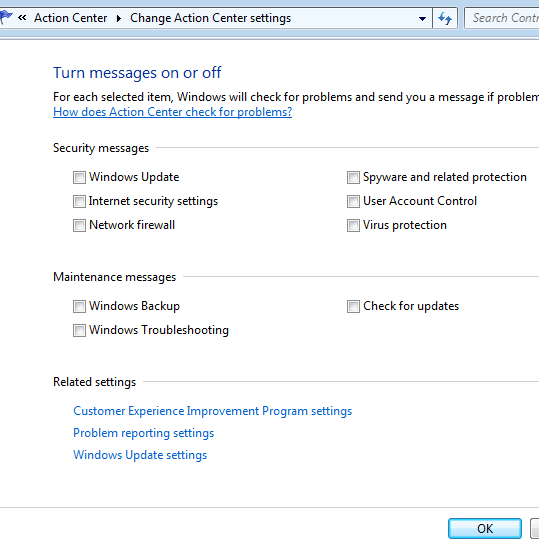
The problem is that MS saves these entries in the Registry with GUIDs and REG_BINARY type values that are not easy to change via script.
(HKEY_CURRENT_USER\Software\Microsoft\Windows\CurrentVersion\Action Center\Checks)
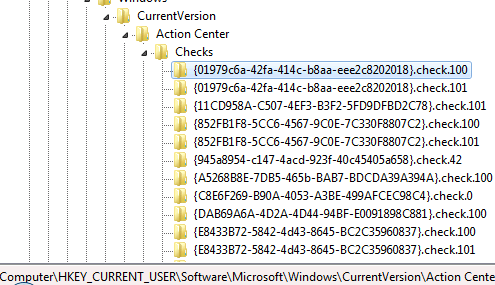
So in the interim, the only method I’ve found to disable these alerts is to disable the “Security Center” entirely using the following command:
net stop wscsvc
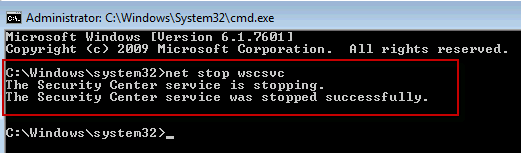
I can not guarantee if disabling this Service will effect other features within Windows.
Well, I tried this per your instructions and as soon as I disabled Security Center, an Action Center alert message popped up saying I need to re-enable it. Looks like this doesn’t work to stop the popups.
Tyler, You are correct, This was more of a shot in the dark. Did you figure out a method that worked? If so, Ill update my posting. Thanks inadvance.
-Brian G
I have not finished testing but so far I have got no pop up. I disabled the Security Center Service (wscsvc). Then if you stop the action center notifications you should not get a pop up.
Right Click open space on task bar => Properties => Customize => Find Action Center => Change to Hide icon and notification