

Category Archives: Uncategorized

How can I easily see how long my Deployment Tasks take?
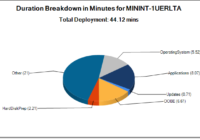
I created a powershell script that outputs a chart displaying a breakdown on Deployment task durations. I tested it with MDT, but it should also work with SCCM. 1\Download the https://github.com/brianfgonzalez/Scripts/blob/master/ZTIDurations.ps1 script. 2\Add the .ps1 to your Deployment share’s script directory. 3\Add a call to the script on the top of your Task Sequence with… Read More »
“Invalid signature detected. Check Secure Boot state in Setup” error
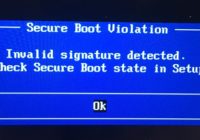
To bypass this error, you must clear the current secure keys in the BIOS. Enter BIOS by hitting F2 or hitting the top-left of the screen during bootup on tablets. Go to the Security tab and enter the “Secure Boot” sub-menu. Click on the “Clear Secure Boot keys”. Accept the warning prompts and perform a… Read More »
Clean-up Before Sysprep And Capture To Reduce The WIM File Size
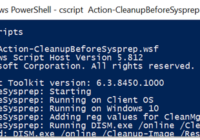
Wally Mead (DeploymentBunny) wrote a great script that accommodates his image factory. It performs several clean up operations before running sysprep. I run it manually on all of my Virtual Machines prior to running a Sysprep and Capture routine. I’ve seen this script reduce a WIM file by 10GB. Jump to Wally’s github and save… Read More »
Running a PXE Server in Windows 10 in less than 10 minutes
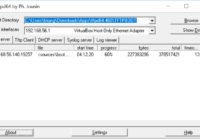
UPDATE – 04-03-2019: try serva https://www.vercot.com/~serva/ instead of tftpd32, it supports uefi. Download the “Portable” version of the Tftpd32 software. http://tftpd32.jounin.net/ All of my source files: https://drive.google.com/open?id=1FAIPPtIogFOk_uklAS_D7YxLrxI36Hly My TFTPROOT folder contents and source Files were pulled from Windows 10 ADK installation. C:\Program Files (x86)\Windows Kits\10\Assessment and Deployment Kit\Windows Preinstallation Environment\amd64\Media => TFTPROOT\bootmgr.exe TFTPROOT\Boot\en-us\bootmgr.exe.mui TFTPROOT\Boot\en-us\memtest.exe.mui TFTPROOT\Boot\Fonts\*.* TFTPROOT\Boot\Resources\bootres.dll… Read More »